If you play to a track, everyone on stage is guessing. OSCILLATE CUE shows the bars until the next section, readable from the back of the room. Zero setup: it reads the locators already in your Arrangement.
OSCILLATE CUE counts the bars to the next section on a screen the whole stage can see.
Manual (PDF, three pages) — everything in detail.
Thirty seconds of it, in real time
The countdown in the film runs at the speed it runs at 174 BPM. Nothing is sped up — on a device whose whole job is counting bars, a time-lapse would be the one lie that matters.
The problemThe problem
Ableton tells you where you are. It does not tell the room. So the band counts, somebody miscounts, and the guitarist comes in a bar early on the one night it matters.
Who it's forThree rooms, one problem
Different music, different lighting, the same laptop nobody can see.
In-ears, a click, a laptop side-stage facing the tech. The drummer counts the intro on faith. OSCILLATE CUE puts the number on the monitor above the kit.
A cue that has to land on a line, eight shows a week, with a different cast member watching from the wings. The count lives on the prompt monitor.
Volunteers who rehearsed once, a click in one ear, a stage where nobody can see the desk. The side screen already exists — now it says when the chorus comes.
This is the real thing, running here
Not a video. The same drawing as the device, the same arithmetic underneath — bars derived from beats. Press play, drag the playhead, move a section boundary and watch the count follow.
Drag anywhere in the tick band to move the playhead · Drag a tick to move that section boundary · Double-click a tick to jump there · Arrow keys move a bar at a time, hold shift for eight · Mirror is the stage tool from the window — FULL is the other one in Live
Stage tools, where the mouse finds them
Move the mouse into the window and two chips appear in the head: FULL takes the window to fullscreen on whichever screen it sits on — drag it to the stage screen first, press FULL, Escape brings it back. MIRROR flips the image for a mirror rig. Take the mouse out and both are gone. Below, the beat runs as a row of LEDs, the one in amber. The window now also shows the time to the next section and the bar you are in — for the people two metres away who can read a clock faster than they can count.

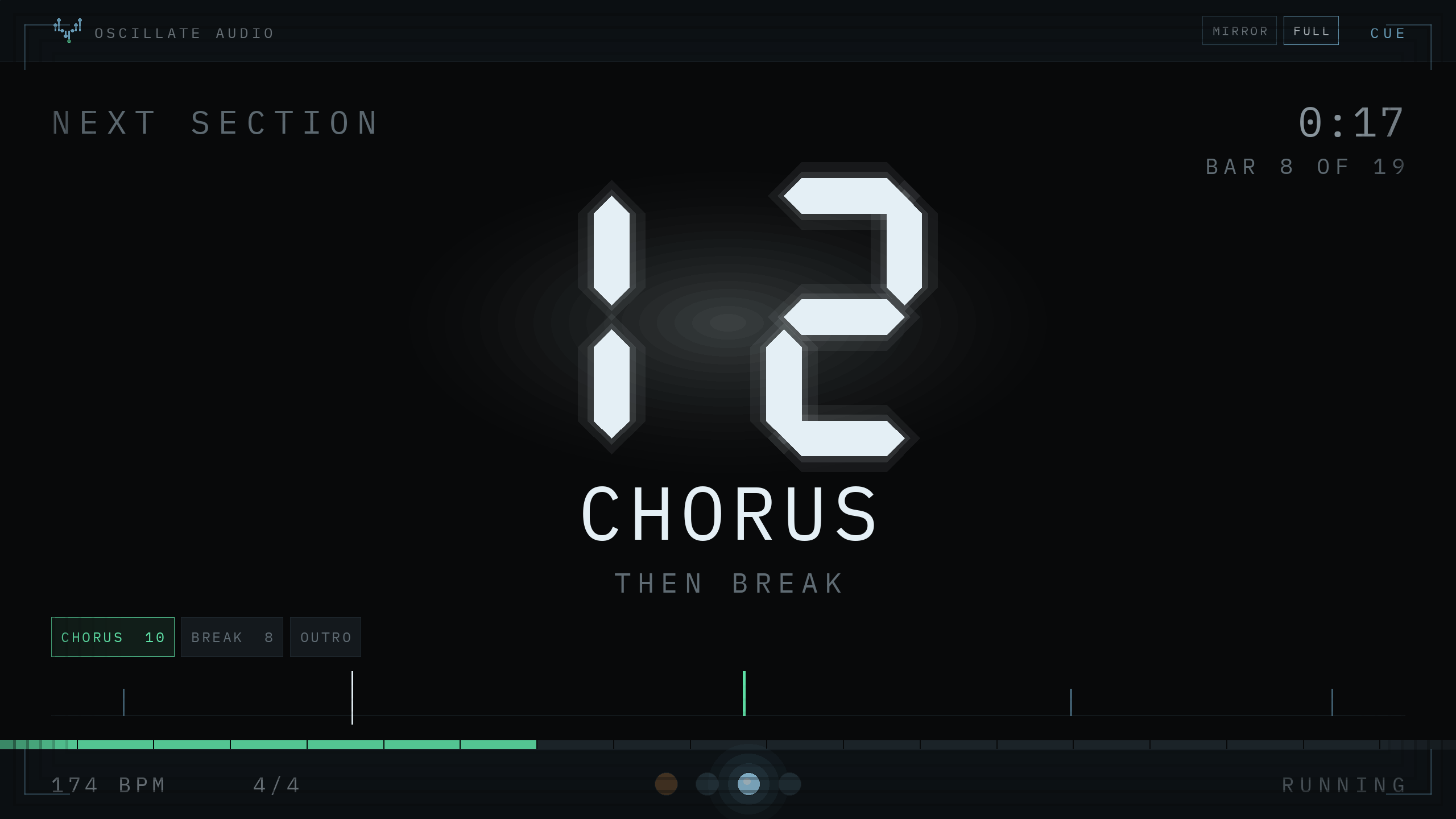
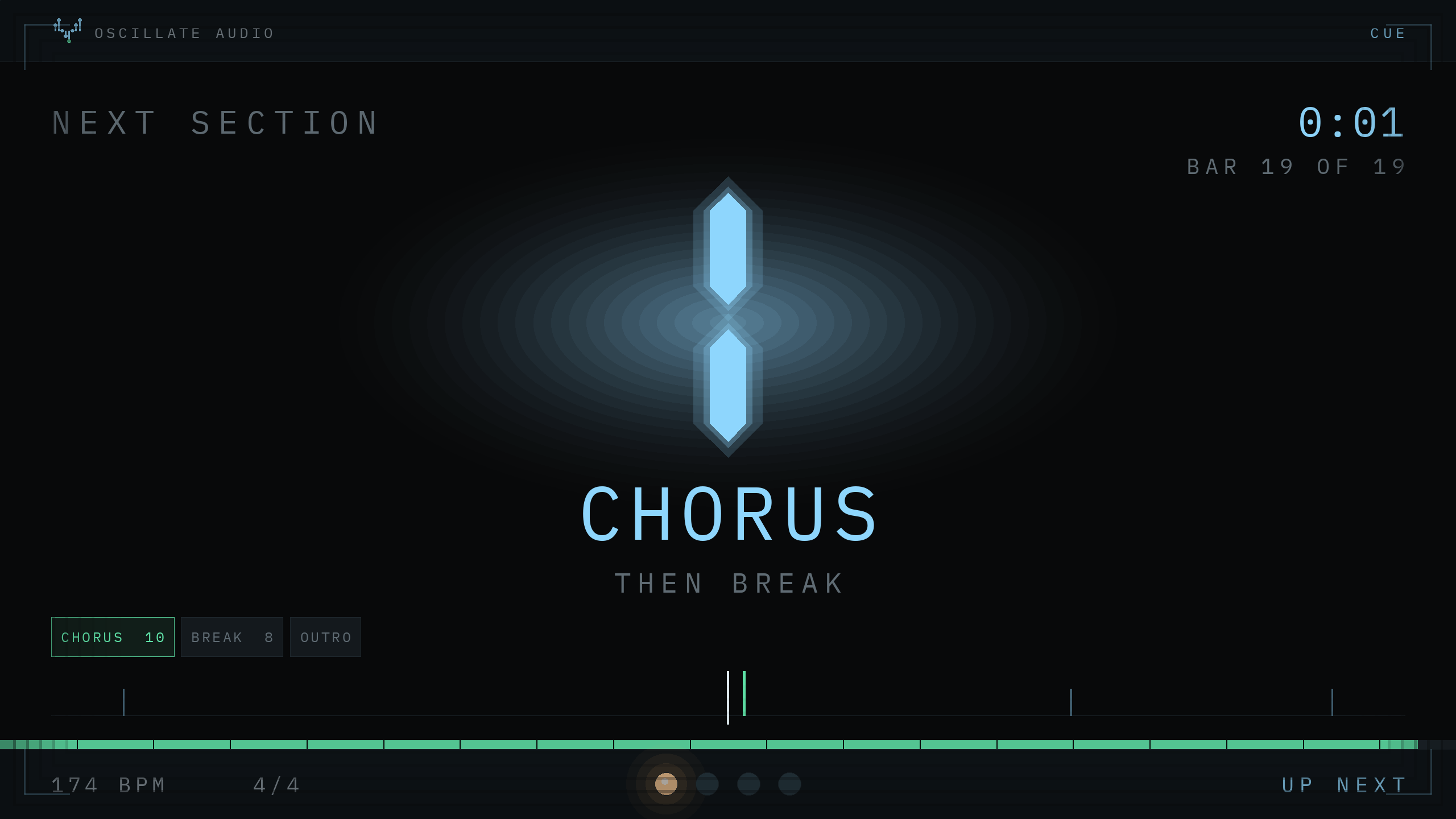
Below the name sits the setlist rail: the next sections with their length in bars, the coming one framed in green. All of it runs in the browser demo further up — same geometry, same behaviour.
Made to be read across a room
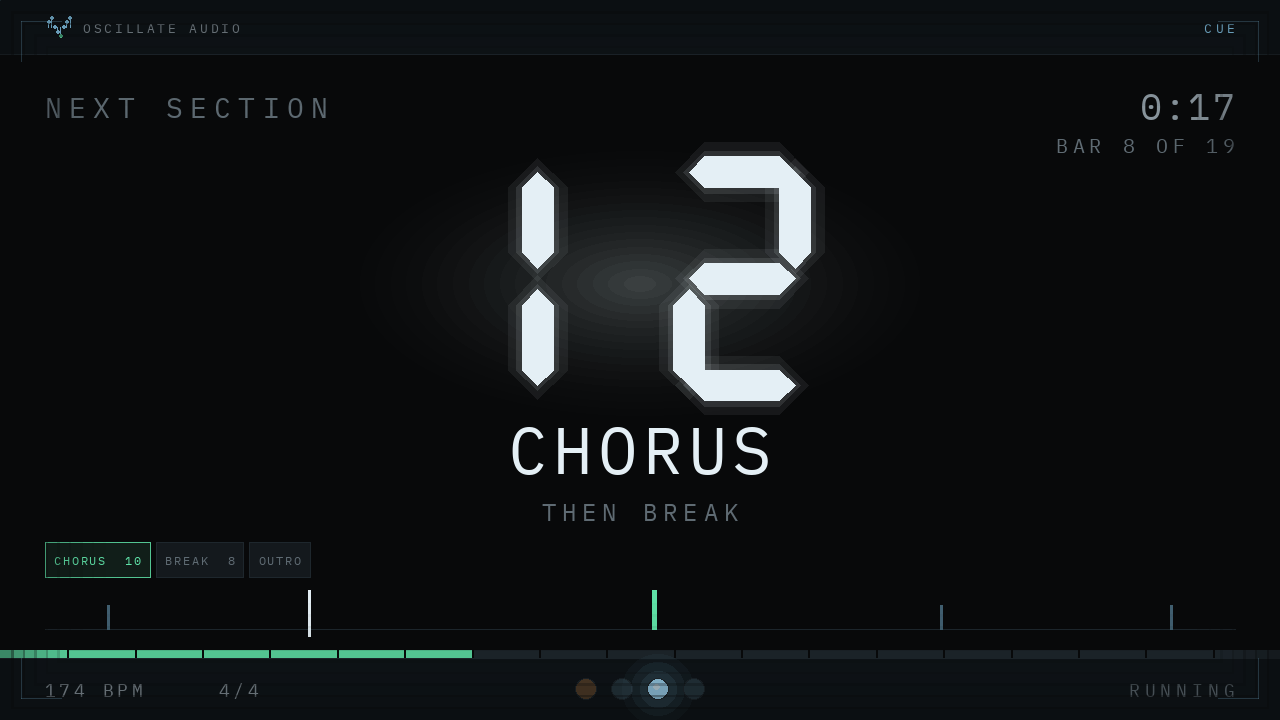
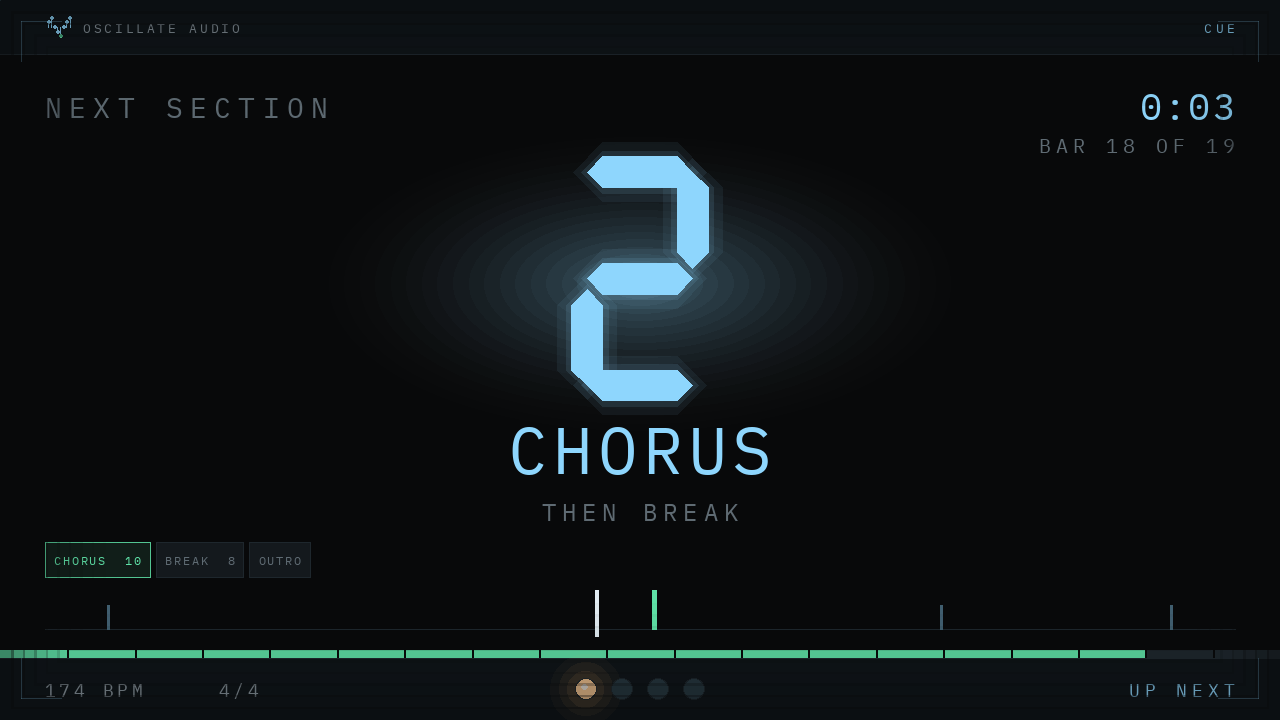
A separate window for the screen that faces the stage. The digits are drawn, not set in type — sharp at any size, and inside the warning threshold the whole display shifts to blue.
One button, then it is a window like any other
Press OPEN DISPLAY, drag the window to the screen that faces the band, pull the corner. It stays on top, remembers its place, and shows nothing but the count until you touch it.
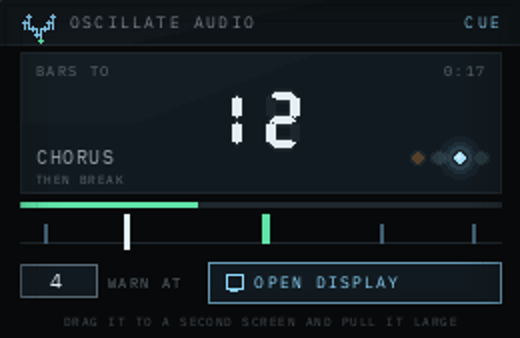
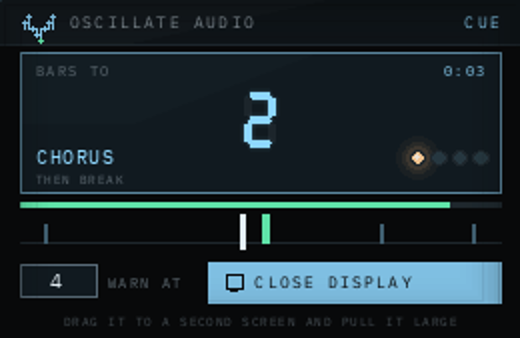
How it worksIt reads what is already in your set
| Counts | Bars until the next Arrangement locator — names, tempo and time signature straight from Live. |
|---|---|
| Setup | None. No dummy clips, no naming convention. |
| Audio | Passes through untouched, no latency. Put it on the Main track. |
| Requires | Ableton Live 10.1 or newer with Max for Live (10, 11 and 12). |
| Delivery | ZIP with the device, its scripts and a two-page manual. |
What you getOne device, nothing held back
| In the browser | In Ableton Live | |
| Count on the device, window at any size | ✓ | ✓ |
| Fullscreen, mirror, LED metronome | ✓ | ✓ |
| THEN line, setlist rail, clock, bar count | ✓ | ✓ |
| Runs in | This page, on any computer | Ableton Live 10.1 or newer |
| Reads your own Arrangement | — | ✓ |
| Updates | — | ✓ all future updates included |
| How you get it | Nothing — it is already running | Link in your inbox, no serial to enter |
QuestionsAsked before you ask
Does it change anything in my set?
No. OSCILLATE CUE only reads — locators, tempo, time signature, playhead. The one thing it can do to your set is jump to a locator, and only when you double-click one on purpose.
Which Live version do I need?
Ableton Live 10.1 or newer with Max for Live — Suite, or Standard with the Max for Live add-on. The device is saved with Max 8, which Live 10, 11 and 12 all ship with, and it uses nothing newer than Max 6: the classic js object, jsui and the live.* controls. Tested here in Live 12; Live 10 and 11 should load it and we would like to hear from you if they do not. Live 9 is not supported.
What happens with a time-signature change mid-set?
Honest answer: untested. Live does not document whether its API follows time-signature markers. OSCILLATE CUE reads the numerator and denominator every second, so it should follow — if your count drifts, write to us with the set and we fix it with you.
Can I use it on two computers, or more?
Yes. There is no serial and no activation — put the same download on every computer you use.
Can I try it before downloading?
Yes, and without installing anything: the demo on this page is the real device running in your browser, with three setlists and every control. The download further down is the same device, unlocked from the start — no clock, no cut-down version. If you want to see another device from this label first, TARN is a complete reverb, also free.
The type looks different from the pictures?
The digits are drawn and always look the same. The labels use IBM Plex Mono; if it is not on your computer, OSCILLATE CUE uses Menlo or Consolas. The Plex fonts are in the download under fonts/ — install them, restart Live, done.
Are updates free?
Yes. OSCILLATE CUE is free, and so is every update to it — no subscription, no upgrade fees. What changed in each version is in the changelog, and the newest download is always waiting under My licenses: enter your email, click the link we send. A successor with a new name would be a separate product, not an update.
Refunds?
There is nothing to refund — OSCILLATE CUE is free. An email address for the download link, and our newsletter about once a week (new devices, updates, recommendations for our plugins); one click unsubscribes you again, any time.
LicenceNo serial, no account, no expiry. It is yours to keep. Pricing policy
It costs an email address
All future updates included. No subscription, no upgrade fees. Changelog
If your stage needs a reverb instead, TARN is also free. The Max patch is open — take it apart.