Free devices are how most of us learn what Max for Live can do. Some of the best free Max for Live devices come from Ableton itself, some from people who built one thing for their own tracks and put it online, and three come from me. This is the list I would hand a friend who just got Live Suite: fifteen devices, sorted by job, with an honest note on what each costs you, even when the answer is "nothing but an email address".
How I picked these
Every device here is one I could check: it has an official page or a maxforlive.com listing, a download that is currently free, and a clear job. Free Ableton devices from the official packs count too, if you already own the right edition. I left out anything I could only find on a forum, and anything that turned out to be discontinued or quietly paid.
A few honest labels before we start:
- You need Max for Live. It comes with Live Suite; Live Standard needs the Max for Live add-on.
- Some Ableton packs are free only with your licence. They cost nothing extra, but they are not free without Live. I say which edition each one needs.
- Older devices are older. Several classics on maxforlive.com were last updated years ago. Many still load, but read the comments before you rely on one in a show.
- My three cost an email address. TARN, TALUS and OSCILLATE CUE are complete, with nothing held back, but you sign up to the Oscillate Audio newsletter to get the link (about once a week, one click unsubscribes).
| Device | Maker | What it does | Category |
|---|---|---|---|
| Creative Extensions | Ableton | Eight devices, incl. Spectral Blur, Pitch Hack, Gated Delay | Effects pack |
| Cat Spring | Max for Cats | Vintage spring reverb | Reverb |
| TARN | Oscillate Audio | Long-tail reverb with freeze and wet-only EQ | Reverb |
| Grain.Freeze | Monolake | Granular freeze for sustained textures | Texture |
| Studio Tools | Max for Cats | Phase scope, oscilloscope, signal generator | Utility |
| ml.Distance | alkman (after Robert Henke) | Places a sound near or far | Utility |
| HarmoTools | J74 | Chord and scale detection, harmonizers | MIDI, chords |
| Expressive Chords | Ableton | One note in, a playable chord out | MIDI, chords |
| Chord Generator | nordmann | Turns single notes into chords | MIDI, chords |
| TALUS | Oscillate Audio | Chords played like two hands, next-chord ideas | MIDI, chords |
| MDD SnAkE | maximedangles | René-inspired pattern sequencer | MIDI, sequencer |
| Rotating Rhythm Generator | Ableton (CV Tools) | Polyrhythms for drums or synths | MIDI, sequencer |
| Performance Pack | Iftah for Ableton | Macros, snapshots, looping, pre-arranging | Performance |
| OSCILLATE CUE | Oscillate Audio | Bar countdown on a screen the stage can see | Performance |
Free effects: reverb, delay, glitch and utility
Creative Extensions (Ableton)
Start here if you have not installed it yet. Ableton lists Creative Extensions as free; it needs Live 12 Standard with Max for Live and comes with Suite. Inside: Spectral Blur (a reverb-like cloud with a freeze), Pitch Hack (a delay that pitch-shifts and reverses), Gated Delay (a delay switched by a step gate), Color Limiter, Re-Enveloper, a step sequencer called Melodic Steps and two synths. Spectral Blur alone is worth the download for ambient beds.
Cat Spring (Max for Cats)
A free Max for Live reverb that does one thing: the boing and splash of a vintage spring tank. Great on dub snares, guitars and anything that should sound like it came out of an old amp. It is listed at zero euros and needs Live 9 with Max 7 or later.
TARN (mine)
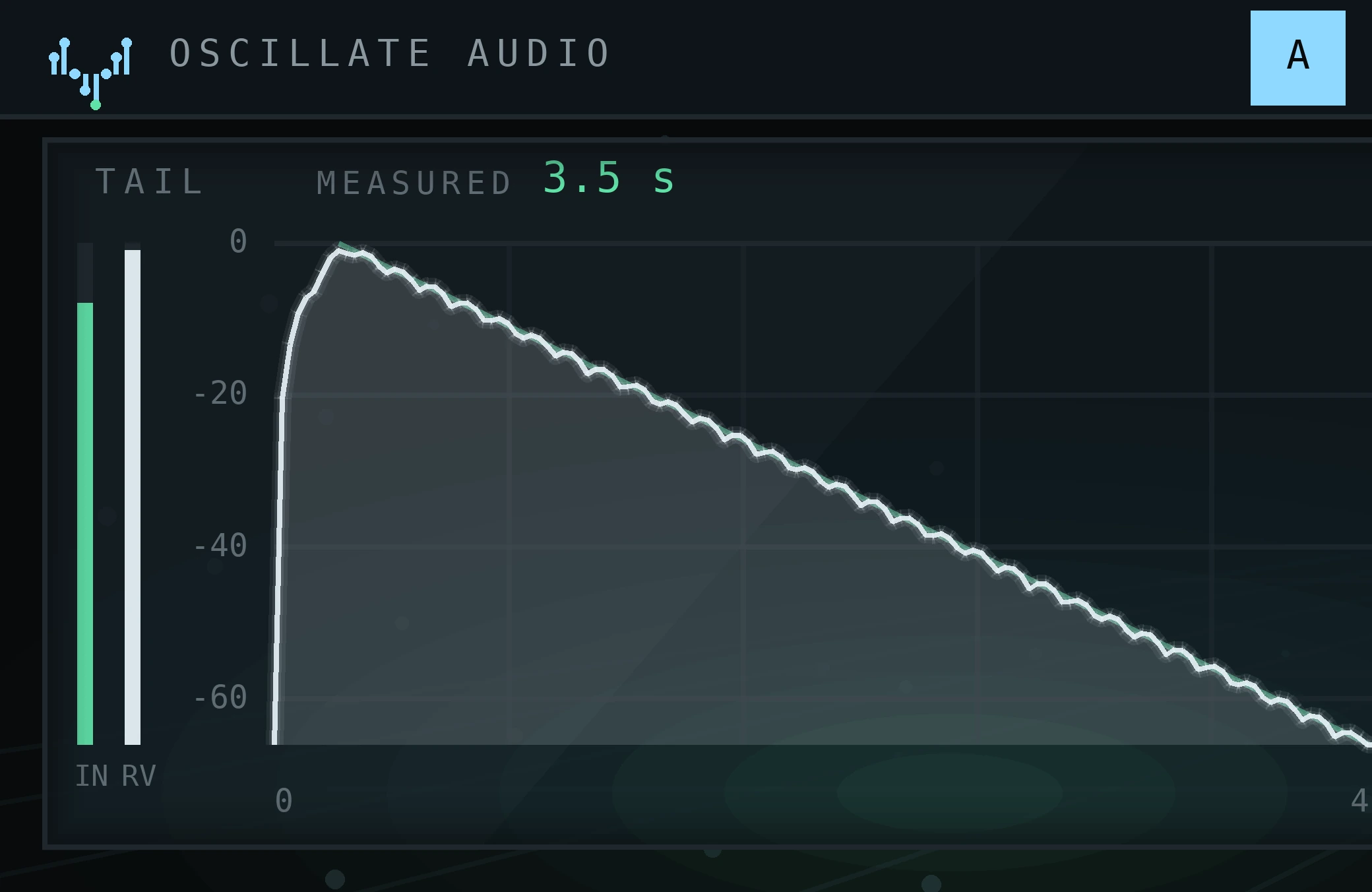
I built TARN because long reverbs in my tracks kept turning to mud. You drag the decay from 0.2 to 60 seconds and watch the real wet signal against your line, there is an eight-band EQ on the wet signal only, and a freeze that holds at exactly 1.0. Seventeen presets, five of them rooms rebuilt from the measurements behind my convolution reverb. Live 10, 11 or 12 with Max for Live. Free for an email address and the newsletter. More on why real rooms sound the way they do in real rooms with convolution reverb.
Grain.Freeze (Monolake)
Robert Henke's granular freezer turns whatever passes through into a held, shimmering texture. Grain.Freeze has more than 60,000 downloads on maxforlive.com. It is old (last updated 2011) and commenters mention a short buffer of about three seconds, so treat it as a texture toy, not a precision tool.
Glitch: start with Beat Repeat
For stutters and repeats, Live's stock Beat Repeat already gets you a long way, and it is free with every edition. If you want stutters locked to the grid, I wrote about tempo-synced glitch effects.
Studio Tools (Max for Cats)
Three mixing helpers in one free download: a phase scope, an oscilloscope and a signal generator. Not exciting, but a phase scope on the Main track catches mono problems before a club system does.
ml.Distance (alkman)
An interface for Robert Henke's ml.Distance: one control moves a sound from right in front of you to far away, with smoothed panning. ml.Distance has close to 60,000 downloads and was updated in 2025, but a few recent comments report crashes in Live 12.4, so test it in a copy of your set first.
Free chord generators, arps and sequencers
Before you download a chord tool, know that Live 12 already has one: the Chord MIDI effect, and the Stacks generator in the clip view. The devices below go further.
HarmoTools (J74)
Fabrizio Poce's HarmoTools is a free toolkit for Live 10, 11 and 12: one device detects the chord or scale you are playing, others harmonize incoming MIDI to fit it, plus a guitar-fretboard display and a simple bass sequencer that follows the chord root. Clever for keeping several tracks in key.
Expressive Chords (Ableton)
If you own any Live 12 edition from 12.2 on, Expressive Chords is already yours: one note in, a chord out, with 52 presets and MPE support for strumming and shaping chords as you play. Especially nice on Push.
Chord Generator (nordmann)
The classic free chord generator for Max for Live, with more than 57,000 downloads: Chord Generator turns each incoming note into a chord, with random major or minor if you want surprises. It dates from 2011 and comments mention hung notes with the random functions, so it is a sketching tool.
TALUS (mine)
TALUS is for people like me who write by ear. Press one key and it builds the chord of that key in your scale, three to ten voices across two hands; or keep your own notes and let it change only how they are played. After every chord it offers five directions (HOME, LIFT, SAD, TENSE, TWIST) to try on your own instrument, and CAPTURE writes the played chords to a copy of the track. It sends MIDI only, so put an instrument after it. Live 10.1 or newer; free for an email address and the newsletter. The longer story is in chords without music theory.
MDD SnAkE (maximedangles)
A free sequencer inspired by Make Noise's René: MDD SnAkE generates intricate patterns with gates, velocities, swing, scale quantizing and randomization, and it supports Push. More than 34,000 downloads. Feed it a drum rack and it starts sounding like a person who never plays the same fill twice.
Rotating Rhythm Generator (Ableton CV Tools)
Part of CV Tools, which comes with Live 12 Intro, Standard and Suite. Despite the pack name you do not need a modular: the Rotating Rhythm Generator is a MIDI effect for polyrhythms that drives Drum Racks or any synth. If you have Suite and want an arpeggiator beyond the stock one, also look at Step Arp in Ableton's Sequencers pack.
Free performance tools
Performance Pack (Iftah for Ableton)
Included with Live 12 Suite, so not free if you are on Standard, but many Suite owners never install it. The Performance Pack has four devices: Performer (one macro that moves many things along curves), Variations (snapshots of your set you can recall from a clip), Arrangement Looper and Prearranger.
OSCILLATE CUE (mine)
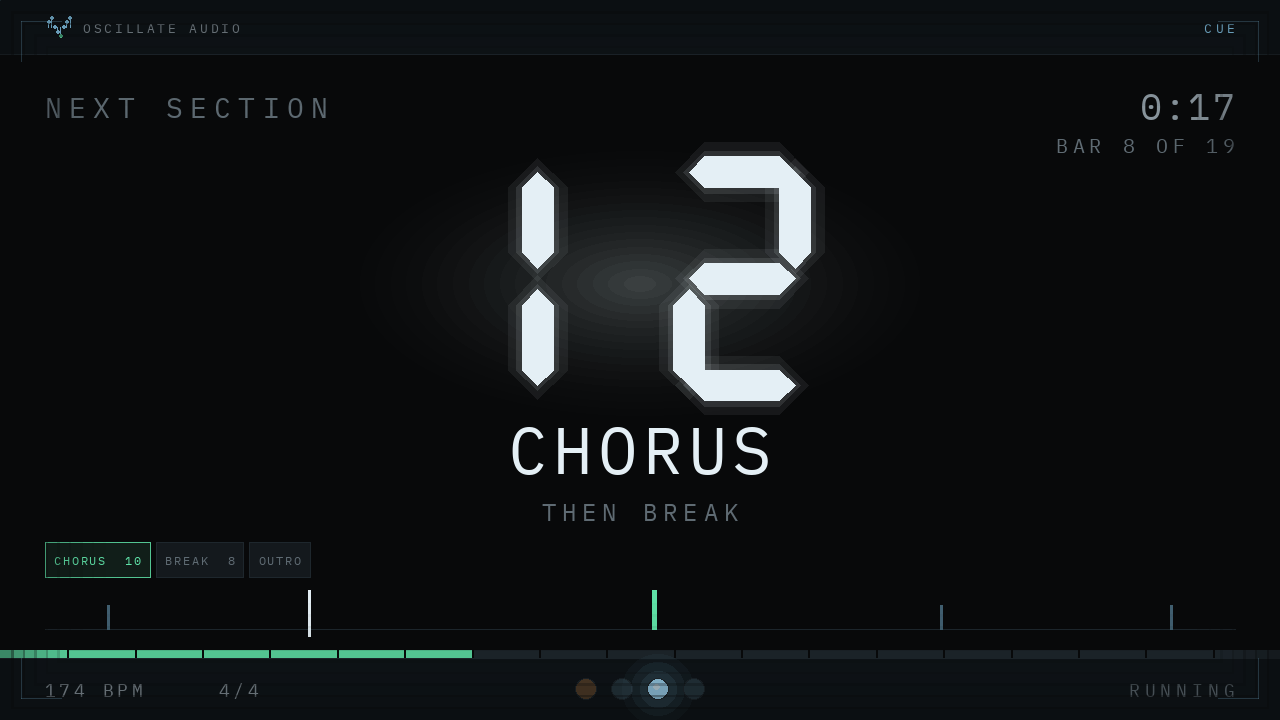
If you play to a track with a band, someone always miscounts the intro. OSCILLATE CUE reads the locators already in your Arrangement and shows the bars to the next section in a separate window you drag to a stage-facing screen, readable across the room. It only reads your set, passes audio untouched and goes on the Main track. Live 10.1 or newer. You can try the real device in the browser on its page before you leave an email address. More in a bar counter for live shows.
How to install Max for Live devices in Live 12
There is no installer. A Max for Live device is an .amxd file, and Live loads it like any other device.
- Check you have Max for Live. Live Suite includes it; Live Standard needs the add-on.
- Unzip and keep the folder together. Some devices, mine included, need script files sitting next to the .amxd. Do not pull the .amxd out on its own.
- Give it a permanent home. Your User Library is a good place, for example the Presets folder for that device type. A device that lives in Downloads breaks the day you clean up.
- Drag the .amxd onto a track. Audio effects go on an audio track, MIDI effects on a MIDI track before the instrument, utilities often on the Main track.
- Optional: add the folder to Places. In the browser, use Add Folder… or drag the folder below your Places, and Live indexes everything inside.
Ableton's own packs work differently: open Places > Packs in the browser, unfold Available Packs, click the download arrow, then Install. A downloaded .alp file installs when you double-click it or drop it anywhere in Live; Ableton explains both in Installing Live Packs. If a device complains about missing files, ask the maker for a frozen version: according to the Live 12 manual, a frozen device contains all the files it needs.
That is the list. Install two or three, not fifteen, and actually use them on a track this week. Free devices earn their place the same way paid ones do: by ending up in a finished song.
Questions people ask
Do I need Live Suite to use Max for Live devices?
Max for Live comes with Live Suite. With Live Standard you need the Max for Live add-on. Some Ableton packs like CV Tools and Expressive Chords also come with Live 12 Intro and Standard.
How do I install Max for Live devices in Ableton Live 12?
Unzip the download, keep the folder together, move it somewhere permanent such as your User Library, and drag the .amxd file onto a track. To see it in the browser, add the folder to Places with Add Folder.
Is there a good free Max for Live reverb?
Cat Spring by Max for Cats is a free spring reverb, Spectral Blur in Ableton's free Creative Extensions pack makes reverb-like clouds, and TARN is a free long-tail reverb from Oscillate Audio for an email address.
Is there a free chord generator for Max for Live?
Yes: J74 HarmoTools, Chord Generator by nordmann on maxforlive.com, and TALUS from Oscillate Audio. Live 12 also has the Chord MIDI effect and, from 12.2, Expressive Chords.
Do old Max for Live devices still work in Live 12?
Often, but not always. Check the Live version and comments on the device page, and test it in a copy of your set before using it live.